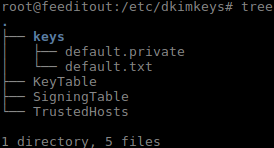
In this post i will capture the installation of opendmarc and how its configure alongside Opendkim.
Install opendmarc
apt-get install opendmarcConfigure systemd service file
cat > /lib/systemd/system/opendkim.service <<EOT
[Unit]
Description=OpenDMARC Milter
Documentation=man:opendmarc(8) man:opendmarc.conf(5)
After=network.target nss-lookup.target

[Service]
EnvironmentFile=/etc/default/opendmarc
Type=forking
PIDFile=/var/run/opendmarc/opendmarc.pid
User=opendmarc
ExecStart=/usr/sbin/opendkim -p $SOCKET -x /etc/opendmarc.conf -u opendmarc -P /var/run/opendmarc/opendmarc.pid
Restart=on-failure
ExecReload=/bin/kill -USR1 $MAINPID

[Install]
WantedBy=multi-user.target
EOT
The specific changes here are lines #9 EnvironmentFile #13 -p $SOCKET
Defaults File
cat > /etc/default/opendmarc <<EOT
SOCKET="inet:12302@localhost"
EOT
Opendmarc Config file
cat > /etc/opendmarc.conf <<EOT
AuthservID example.com
PidFile /var/run/opendmarc.pid
#RejectFailures false
Syslog true
SyslogFacility mail
UMask 0002
UserID opendmarc:opendmarc
TemporaryDirectory /tmp
AutoRestart true
EOT
Modify Postfix milters
If you are running both opendkim and opendmarc your milters will look like this:
non_smtpd_milters = inet:127.0.0.1:12301, inet:127.0.0.1:12302
smtpd_milters = inet:127.0.0.1:12301, inet:127.0.0.1:12302
Restart the service
systemctl daemon-reload
systemctl restart opendmarc
systemctl restart postfix
DNS
Now go modify your DNS, adding a TXT record ‘_dmarc‘with the value ‘v=DMARC1; p=none; rua=mailto:postmaster@example.com‘
When you have validated dmarc is working properly you can change p=none to p=reject
How can you validate it?
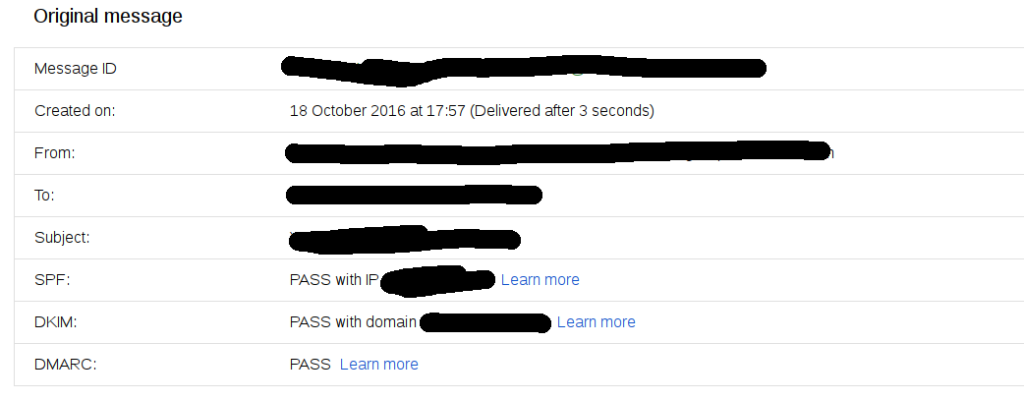
There are a number of tools online to help you with this, also you open up a mail in google and click ‘show original’.
Enjoy